Choosing ergonomic seat accessories for your business is a practical workplace decision, not a decorative upgrade. Employees may spend six to eight hours seated, shifting between spreadsheets, calls, and meetings. A poorly supported chair can create pressure behind the knees, rounded shoulders, and constant lower-back tension. The U.S. Bureau of Labor Statistics continues to identify sprains, strains, and related musculoskeletal problems as major causes of workplace absence. OSHA also states that ergonomic improvements can reduce physical effort and fatigue. These findings support a careful review of cushions, lumbar supports, footrests, and adjustable arm supports.
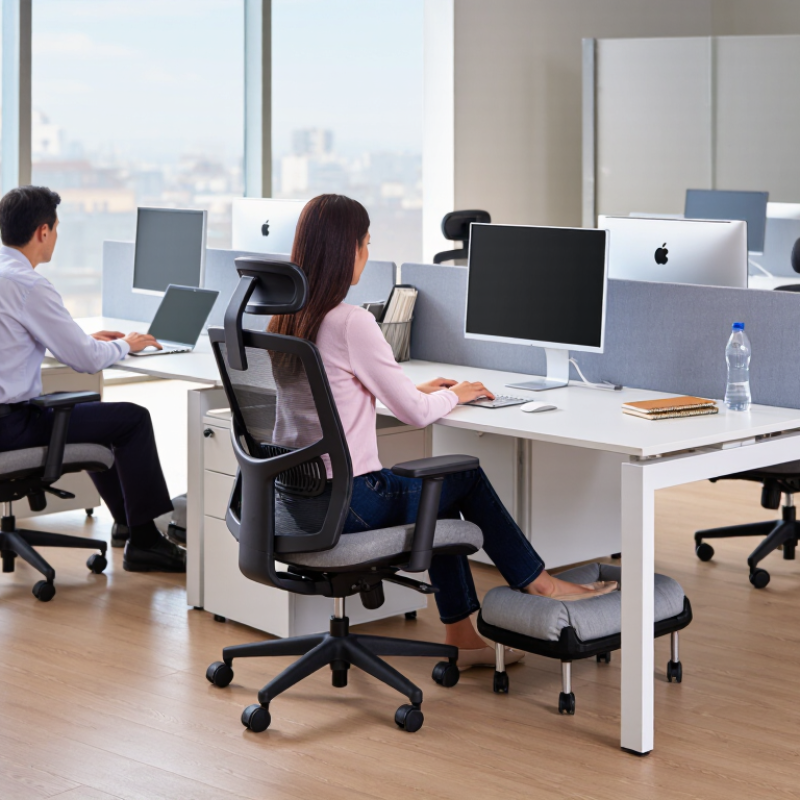
But what are the benefits of ergonomic seat accessories in real workplaces? They can distribute body pressure more evenly, support neutral posture, and help employees adjust their workstations. A footrest may keep shorter users’ feet stable. A breathable seat cushion may reduce heat during long customer-service shifts. A lumbar roll may fill the gap between the chair and the lower back. Small details matter.
Evidence still needs honest interpretation. Accessories cannot repair a damaged chair or replace movement breaks. The UK Health and Safety Executive recommends suitable workstation assessments and regular changes of activity, rather than relying on one product. That is an important limitation. Businesses should measure seat height, desk clearance, user body size, and daily tasks before purchasing. NIOSH guidance also emphasizes fitting the workstation to the worker. The best choice may differ between a designer, warehouse coordinator, and call-center employee. Test products with staff, record discomfort feedback, and review results after several weeks. Comfort is personal. “Ergonomic” is not automatically effective.
Quantify Seating Risks with WHO’s 619 Million Low-Back-Pain Cases
619 million
WHO estimates that low-back pain affected 619 million people worldwide in 2020. Its projections place the figure near 843 million by 2050. For employers, this is not a distant healthcare statistic. It can appear as a worker shifting constantly, standing during calls, or rubbing their lower back after a two-hour meeting.
EU-OSHA reports that three in five workers experience work-related musculoskeletal complaints. Seating accessories should respond to measurable conditions, not decoration. Check whether feet rest flat, knees remain near hip level, and the lower back receives steady support. A height-adjustable footrest may help shorter users. A seat cushion can reduce pressure, but excessive softness may weaken posture. Test both.
Use a simple workplace review before purchasing in volume.
Record discomfort ratings, sitting duration, chair height, and adjustment habits for two weeks. OSHA workstation guidance also recommends adjustable seating and neutral working postures. Data helps, although it is imperfect. People often underreport pain until productivity falls. One accessory will not correct every risk. A poorly positioned monitor or rushed work schedule may still undermine a well-designed seat. Reassess after thirty days, and ask employees what changed in real use.
Set Fit Criteria Using the 5th–95th Percentile Design Range
Choosing ergonomic seat accessories starts with measurable fit, not visual appeal. For a mixed workforce, use the 5th–95th percentile design range as a practical baseline. This range covers most adult users, but it does not represent every body. Seat cushions, footrests, lumbar supports, and arm supports require different measurements. Record popliteal height, hip breadth, thigh length, and seated elbow height. Use validated anthropometric data when available. Old assumptions can mislead.
A footrest should support shorter users without blocking taller users. A seat cushion should preserve clearance behind the knees. Lumbar support should move vertically and remain stable during ordinary work. Set minimum and maximum adjustment values from the 5th and 95th percentiles. Then test those settings with real employees at their desks. Watch for pressure marks, leaning, dangling feet, or raised shoulders. Small details matter.
In one practical evaluation, a generous cushion looked comfortable but reduced knee clearance. The measurement sheet passed; the user experience did not. Fitting must include movement, not only seated posture. Invite shorter, taller, broader, and narrower users to test each adjustment. Ask them to work for at least twenty minutes, then record discomfort precisely. A checklist helps, though it can create false confidence. Recheck accessories after relocation, because desk height and footwear can change fit. Avoid selecting one average employee as your model. Averages mislead.
Select Lumbar Supports, Cushions, and Footrests by Posture Need
Choosing ergonomic seat accessories starts with the employee’s posture, not the product category. Observe how each person sits during normal work, including reaching, typing, and standing. A lumbar support suits workers whose lower backs lose contact with the chair. It should fill the natural curve without forcing the pelvis forward. Adjustable height and firmness are valuable because bodies differ.
A cushion can reduce pressure when the seat feels hard or causes discomfort beneath the thighs. However, excessive thickness may raise the hips and leave the knees too low. Check that both feet remain stable. Footrests help shorter users maintain supported feet and level their knees. Choose a stable surface with enough room for small position changes.
Small adjustments matter. The desk should still allow relaxed shoulders and bent elbows. Encourage employees to change positions regularly, even with good accessories. A perfect setup is rarely achieved immediately. Teams may overcorrect and add too much support. Recheck comfort after several workdays, then adjust gradually. When discomfort continues, consult a qualified ergonomics professional rather than relying on accessories alone.
Verify Safety, Load Capacity, and Durability Through ANSI/BIFMA Tests
Choosing ergonomic seat accessories should begin with evidence, not attractive packaging. The U.S. Bureau of Labor Statistics recorded 946,290 musculoskeletal disorder cases involving days away from work in 2023. The median absence lasted 12 days. This data does not prove that one accessory prevents injury, but it supports careful workstation decisions.
Ask suppliers for test reports, not vague safety claims. For chair-related accessories, check whether testing follows ANSI/BIFMA X5.1, including seat, backrest, base, caster, and adjustment tests. Confirm the tested load capacity and compare it with the user’s weight, movement, clothing, and equipment. A cushion or footrest may change posture and pressure distribution. It may also reduce stability. Small details matter.
Durability deserves equal attention. Review cycle counts, test conditions, material changes, and failure limits. A passing test shows performance under defined conditions. It does not promise a lifetime of service. BIFMA’s published standards emphasize repeatable testing, which helps buyers compare products more reliably. Still, I would inspect seams, fasteners, hinges, and compression after delivery. Real offices are messier than laboratories. A perfect report can miss poor daily fit. Check the accessory during normal use, then record complaints and adjustments before purchasing for every workstation.
Pilot Accessories and Track BLS Musculoskeletal-Disorder Metrics
Ergonomic seat accessories should begin with a controlled pilot, not a bulk purchase. Test lumbar supports, adjustable seat cushions, footrests, and arm supports across different workstations. Record baseline discomfort, task duration, posture complaints, and restricted-duty events before installation. The U.S. Bureau of Labor Statistics reports occupational injuries through measures such as days away from work, body part, and event type. Use these categories to track musculoskeletal-disorder patterns consistently. Small details matter. A worker shifting repeatedly in a chair may reveal poor support, excessive reach, or inadequate desk height.
Review the pilot after four to eight weeks. Compare discomfort scores, absence days, first-aid reports, and BLS-aligned MSD classifications with baseline results. The Occupational Safety and Health Administration identifies musculoskeletal disorders as a major source of workplace injury and workers’ compensation costs. The Liberty Mutual Workplace Safety Index also consistently ranks overexertion among leading costly injury causes. However, a softer cushion does not prove risk reduction. Our practical mistake is treating comfort as evidence. Some employees may simply adapt their posture temporarily. Ask users to describe pressure points, numbness, and fatigue at the end of each shift. Keep unsuccessful accessories in the evaluation record. That evidence can prevent an expensive, poorly fitted rollout. Use aggregated data, protect employee privacy, and review results with a qualified ergonomist or occupational health professional.
How to Choose Ergonomic Seat Accessories for Your Business
Use BLS incidence-rate categories as a consistent baseline when piloting adjustable chairs, lumbar supports, footrests, or other workstation accessories. The 2023 private-industry benchmark was 2.4 recordable cases per 100 full-time-equivalent workers, including 0.8 cases involving days away from work.
The chart shows national private-industry benchmarks, not company results or proof that any specific accessory reduces injuries. During a pilot, compare MSD-specific days-away-from-work, job-transfer or restriction, and recordable-case metrics using the same BLS definitions.
Source: U.S. Bureau of Labor Statistics, 2023 Incidence Rates of Nonfatal Occupational Injuries and Illnesses.
FAQS
Low-back pain affected 619 million people worldwide in 2020. The projected figure may reach 843 million by 2050. At work, signs include constant shifting, standing during calls, or rubbing the lower back after meetings. This is not merely a distant statistic.
Check whether feet rest flat, knees stay near hip level, and the lower back receives steady support. Observe employees typing, reaching, and standing. Record discomfort ratings and sitting duration for two weeks. The data will be useful, though imperfect.
Lumbar support may help when the lower back loses contact with the chair. It should fill the natural curve without pushing the pelvis forward. Adjustable height and firmness are helpful. Too much support can feel restrictive.
A cushion may reduce pressure from a hard seat or thigh discomfort. Test its thickness carefully. Excessive height can raise the hips and lower the knees. Both feet should remain stable. Softer is not always better.
Shorter users may benefit when their feet cannot rest securely on the floor. Choose a stable surface with enough room for small position changes. Supported feet can help keep the knees near hip level. Avoid unstable platforms.
No single accessory corrects every risk. A poorly positioned monitor may still strain the body. Rushed schedules can also reduce movement and recovery. The setup may look correct but work poorly in practice.
Employees should change positions regularly, even with suitable accessories. Encourage brief movement during long tasks or meetings. A perfect setup is rarely achieved immediately. People may overcorrect.
Recheck the setup after several workdays and adjust gradually. Review the setup again after thirty days. Ask employees what changed during real use. Persistent discomfort may require a qualified ergonomics professional. Accessories alone may not be enough.
Conclusion
Choosing ergonomic seat accessories for your business begins with understanding the scale of workplace discomfort. With the World Health Organization reporting approximately 619 million cases of low back pain, organizations should evaluate seating risks and establish practical fit criteria. Designing for users between the 5th and 95th percentiles helps accommodate a broad range of body sizes, while lumbar supports, seat cushions, and footrests can be selected according to individual posture needs, desk height, and leg support requirements. This approach answers the question, “what are the benefits of ergonomic seat accessories,” by highlighting their potential to improve comfort, encourage healthier sitting positions, and reduce strain during prolonged work.
Before deployment, verify that each accessory meets appropriate safety, load-capacity, stability, and durability expectations through relevant ANSI/BIFMA testing. A small workplace pilot can reveal comfort issues and usability concerns before wider adoption. Track indicators such as discomfort reports, absenteeism, and BLS musculoskeletal-disorder metrics to assess results and guide future adjustments.

 Xotiq Auto